Bloxrooms Controls
The beta has no published keybind card — here is what the gear and passes imply you will actually press.
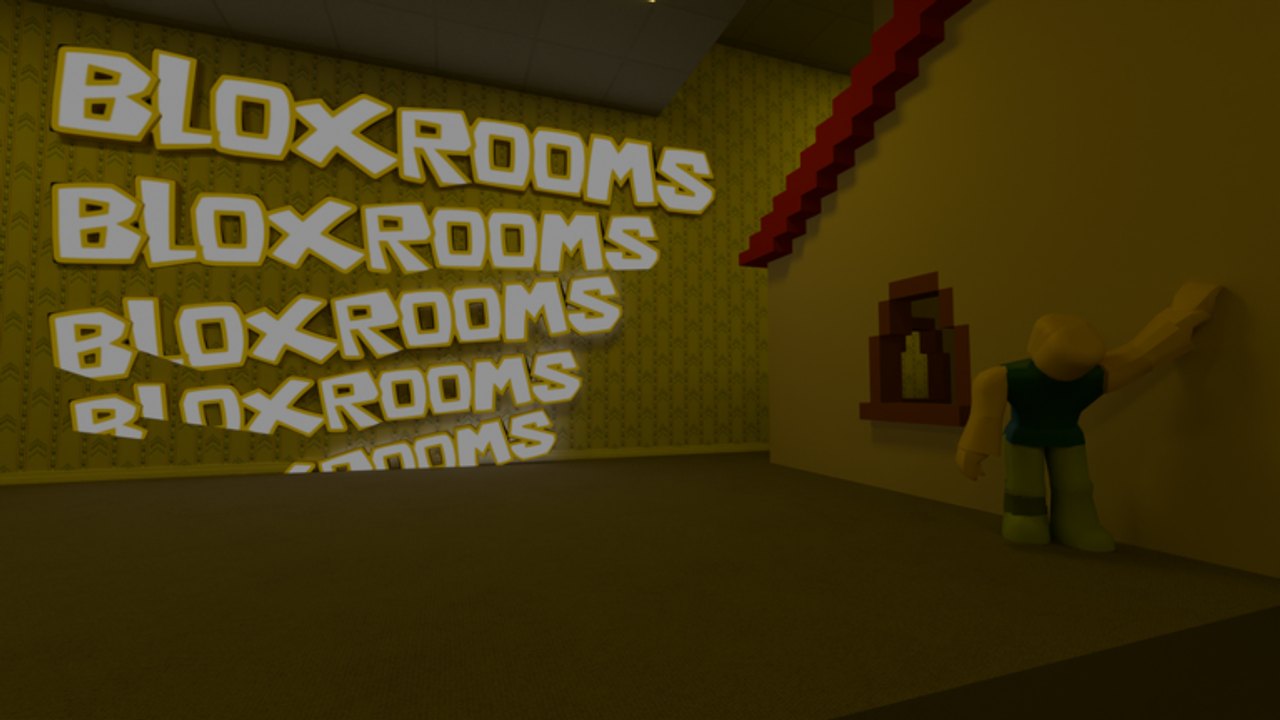
Bloxrooms Corporation has not posted an official PC / gamepad table on the experience page. This guide documents the verified verbs (sprint, stamina, flashlight, chalk, coils, trowel, compass, alert) and the default Roblox inputs they sit on. If a patch remaps keys, trust the in-game settings menu over this article and then check the beta changelog.
Read this next to getting started and gear. A better flashlight does nothing if you never bind it.
Default Roblox movement (PC)
Until the studio ships a custom card, assume the usual client:
| Action | Typical PC bind | Why it matters in Bloxrooms |
|---|---|---|
| Move | WASD | Hallways are long, sightlines lie |
| Jump | Space | Trowel / furniture / still-life props |
| Camera | Right mouse / mouse move | Check corners before sprinting |
| Sprint | Shift (often) | Stamina pool — Stamina+ doubles it |
| Interact / tools | Click / E / 1–9 hotbar | Coils, chalk, flashlight, compass |
| Menu | Esc / Roblox menu | Settings, possibly a future code box |
On mobile, the jump and joystick cluster covers move/sprint; flashlight and chalk will be backpack or hotbar buttons. Console uses the Roblox gamepad map. None of those layouts are screenshot-confirmed for this title, so open Settings on your device before a deep run.
Sprint and stamina
Two passes exist for a reason: Sprint+ makes you faster, Stamina+ doubles stamina while sprinting, and Explorer+ bundles both with Flashlight+. That means the default sprint is the resource entities wait for you to dump. Treat Shift as a commitment, not a lifestyle.
In a 30-player server, other explorers will sprint past you and pull aggro you cannot see. Let them go. Your survive entities plan should assume you walk the last ten studs to a still life.
Flashlight
Flashlight+ is “brighter and longer ranged.” The default light is therefore short. Flick it for identification, not as a disco. Still lifes and yellow wallpaper both bloom under cheap bloom settings — drop graphics if the lamp in a red room whites out the entities standing next to it. Screenshots on this wiki (red lamp room, indoor street, repeating BLOXROOMS wall) are the lighting language you should expect.
Chalk, coils, trowel
- Chalk Gear writes on walls inside the bloxrooms. Bind it where your thumb already rests. One letter per junction is enough; a novel will get you killed mid-stroke.
- Speed Coil (Release Bundle) is classic Roblox gear: equip, hold, move faster. It stacks in spirit with Sprint+; you still have a body that entities can catch.
- Trowel is a building tool. Combined with Troll Panel building tools, the session is a shared 3D space, not a locked corridor shooter. Do not brick a teammate’s only exit.
Hotbar discipline matters more than in a tycoon. If coil and flashlight share a slot you keep misclicking, you will eat a hunt in the dark. The loadout planner assumes flashlight stays on 1.
Information tools
Artifact Compass “locates artifacts near you.” Entity Alert “alerts you when entities are nearby.” Both sold standalone, then went off-sale and into Gear+. If you own them, leave them equipped. An alert you dismissed as HUD noise is the difference between scouting a still life and walking into a hunt. Pair with how to find artifacts.
Troll Panel inputs
The newest pass adds spawn entities, player commands, building tools, and weapons. That is a second control scheme: admin-style, not survival-style. Using it in a public 30-player server will ruin someone else’s badge run. If you bought it, take it to a private stack or a friend group.
Accessibility and settings
- Lower shadows if yellow wallpaper strobes.
- Headphones help; the listing does not require them, but Entity Alert and footsteps are why people buy the pass.
- Shift-lock is a personal choice. In tight still-life rooms, unlocked camera often spots the extra figure behind the lamp.
- R6 avatars are forced (
MorphToR6). Your catalog packages will not save you. Hitboxes are classic Roblox, not R15 animation soup.
Practice routine
Spend one quiet join doing nothing but: walk, tap sprint for one second, toggle light, place a chalk mark, turn around, find the mark. Then go hunt. The beginner checklist is this paragraph as boxes. After that, levels teaches you how to read a room that is pretending to be a suburban street indoors.
Frequently Asked Questions
Quick answers for Bloxrooms explorers.
What is the sprint key in Bloxrooms?
The studio has not published a card. On PC it is typically Left Shift, but confirm in Settings. Stamina+ only helps if you are actually sprinting.
Does flashlight have a key?
Treat it as equippable gear on the hotbar. Flashlight+ upgrades range and brightness of that tool.
Can I remap controls?
Use the Roblox client settings. This wiki will update if a custom Bloxrooms bind menu appears in the changelog.
Do I need a keyboard?
No. The experience is a standard Roblox client. Mobile and console should work; the stamina and flashlight verbs still apply.